IdPortal · Identity operations
One portal for identity, lifecycle, and governance.
Self-service for users, team views and access reviews for managers, day-to-day operations for admins and support, reports and evidence for governance and audit, and an identity context graph for Agents. The same portal can host the integration and sync hub that keeps connected systems in agreement.
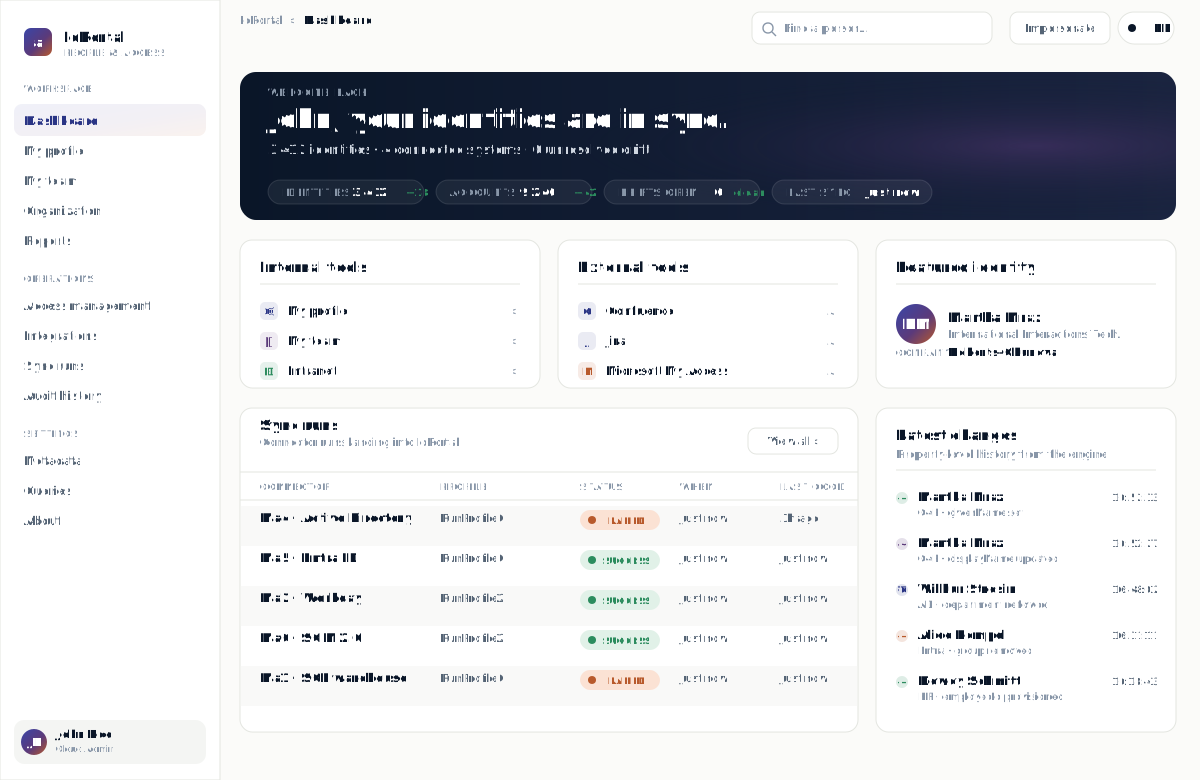
Dashboard
Operations at a glance
Lifecycle queues, integration health, and the changes that matter, in one admin surface.
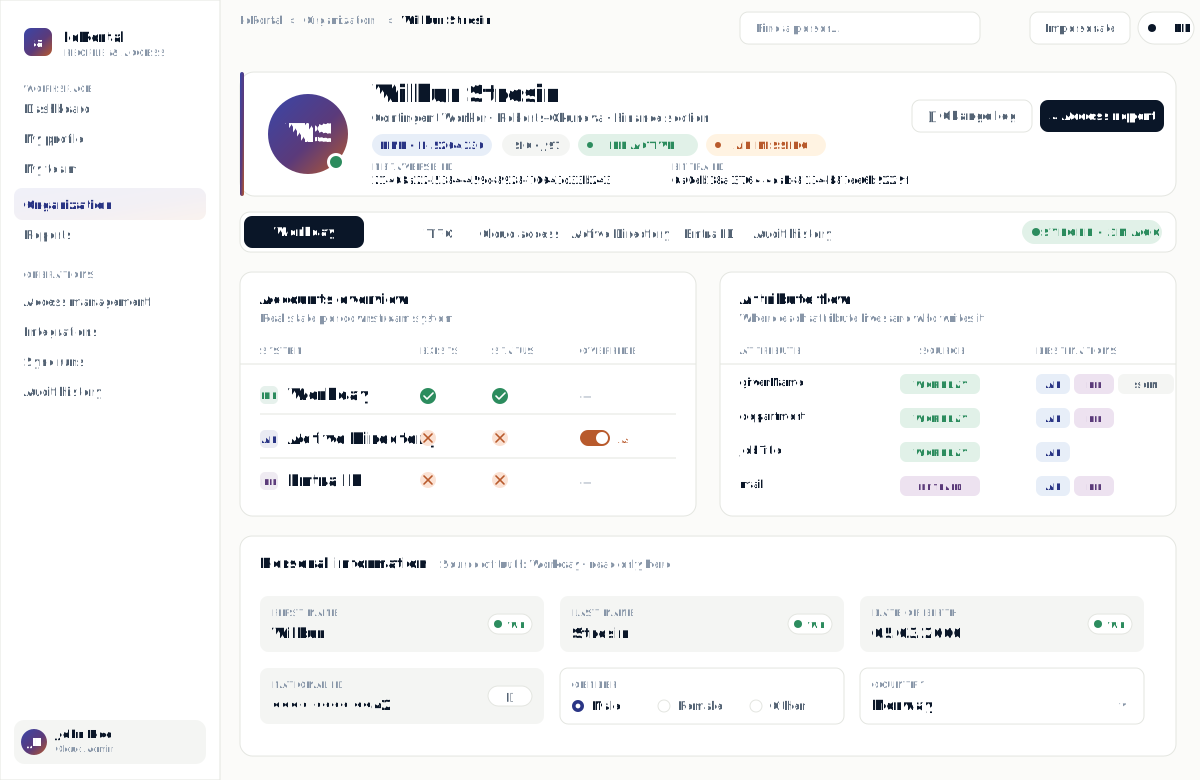
Identity profile
Every identity, in context
Accounts, roles, integrations, approvals, and history for one identity in one place. No console-hopping.
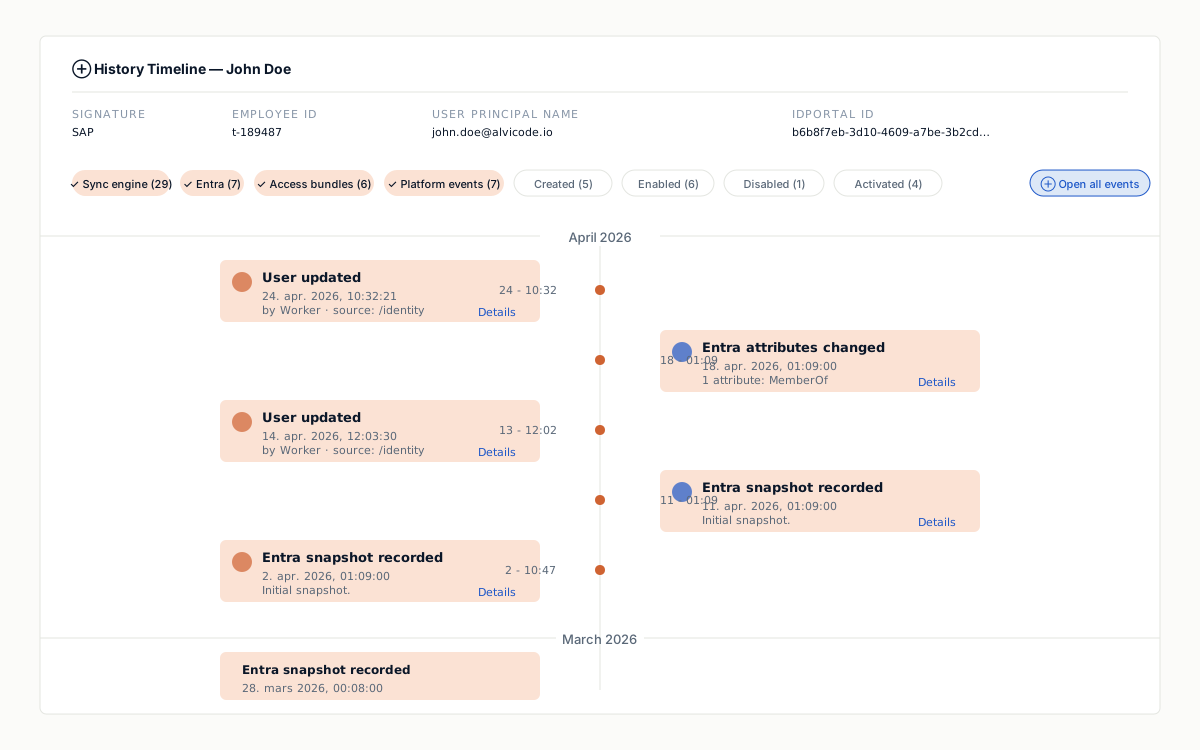
History
Every change, accounted for
A structured timeline per identity: what changed, where, when, by whom, and through which system.
What IdPortal is used for
-
User self-service
See and manage your own profile, group memberships, and access requests.
-
Manager view
See your team members’ information and access, and run access reviews on the people you are responsible for.
-
Admin & support operations
Provision, update, suspend, and restore accounts in one place, with the actions support uses every day.
-
Role and entitlement reviews
Run access reviews on a cadence the business can sustain, with evidence at the end.
-
Lifecycle workflows
Joiner, mover, leaver, and reactivation flows that match how the organization works, including day-one access.
-
Integrations & sync
Connect directories, HR systems, and SaaS, and keep them in agreement, without leaving the portal.
-
Auditor access
Scoped roles and access levels for auditors, with read access to the evidence they need and nothing they do not.
-
Reports & evidence
Reports for governance and a structured timeline per identity, ready for review.
-
Context for AI Agents
A clean identity context graph AI Agents can use, with the same policy boundaries as humans.
What lives inside the portal
- Lifecycle operations
- Joiner, mover, leaver, reactivation, and bulk operations as first-class workflows.
- Context model
- A readable graph of users, accounts, roles, applications, ownership, and access history.
- Integration & sync hub
- Hosts the connectors, mappings, and sync runs that keep directories, HR systems, and SaaS in agreement — in the same surface admins already use.
- Background processing
- Long-running operations, retries, and queues that survive the working day.
- Governance & approvals
- Approval workflows, access reviews, and policy checks built into operations.
- AI Agent context
- Identity graph access through scoped APIs, so Agents see only what policy allows.
What changes with IdPortal
- One place to operate
- Admin, support, and governance work share one surface instead of jumping between vendor consoles.
- One portal, every role
- Users see their own access, managers see their team, admins and support operate, governance and auditors review with their own scoped roles, and Agents read the identity context graph. Same portal, scoped views.
- Audit-ready by design
- Every change to an identity, role, or integration is structured and queryable.
- Workflows that hold
- Background jobs, retries, and approvals keep long-running operations honest.
- Hosted your way
- Your Kubernetes, your cloud, or managed in European regions.
- Operational visibility
- Live status, queues, and per-identity history in one view.
Common questions before a pilot
-
How is this different from the admin console in our IdP?
IdP consoles are scoped to that IdP. IdPortal sits across the directories, HR systems, and SaaS the business runs, with one operating surface and one audit trail.
-
Who is the portal for?
Everyone with a stake in identity: users for self-service on their own profile and access, managers for their team, admins and support for day-to-day operations, governance for reviews and reports, and auditors with their own scoped roles and access levels. Each role sees the actions and data it needs.
-
How does it fit with the rest of the suite?
IdPortal is the operating surface, and it can host SyncHub as the integration and sync hub inside the same portal. IdProxy handles federation. Everything shares the same identity graph.
-
How does it support AI Agents?
Agents can read identity relationships, ownership, and history through governed APIs, with the same scopes and policy boundaries that apply to humans.
-
Where does it run?
Container-native. Your Kubernetes, Azure App Service, or managed in European regions.
Ready to scope a pilot?